What bills can I automate with PAD?

Utilities (like hydro)
Phone and internet
Rent
Mortgages
Credit cards and loans
Gym memberships

Streaming services
Food delivery
Subscriptions
The benefits of PAD

Time is money. Your payment will be done automatically, you don't need the app or have to remember to go in periodically to pay anymore.
With automatic payments, you will not miss a single payment. Out of sight, out of mind!

You will have visibility of the payment dates and amounts of your services.
How to set up Pre-Authorized Debit payments

Contact your service provider or sign on to their online portal.

Fill out the form provided by the service provider with your account details.
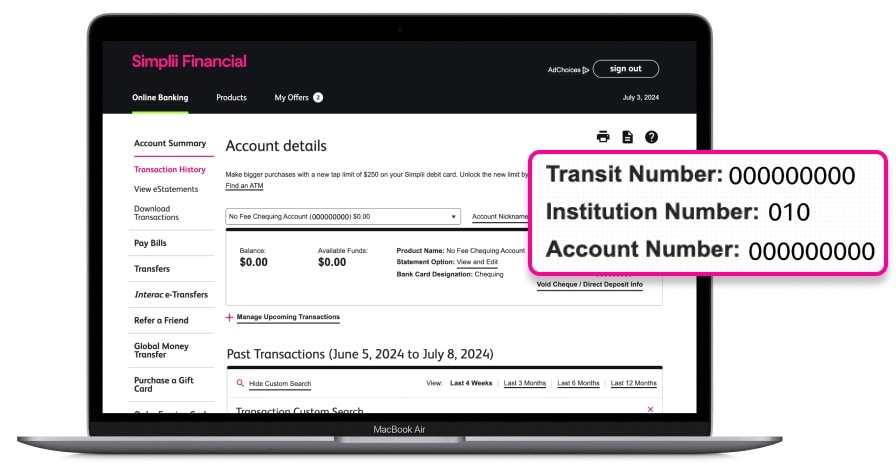
Where to find your chequing account details to set up a PAD

Sign on to your online banking.

Select your No Fee Chequing Account. On the mobile app, select “Account Info.”

On the “Account details” screen, grab your transit, institution and account numbers.